WIC
PackagesContact
Get a free plan
WIC

WordPress development agency trusted since 2005. We build, fix, and scale WordPress websites, WooCommerce stores, performance improvements, migrations, and long-term support for businesses worldwide.

  • Est. 2005
  • WordPress specialists
  • Global English support
Get a free WordPress planWhatsApp us

Company

About usWhy choose usWorkProcessFAQPackages

WordPress services

Build

  • Custom WordPress Development
  • Custom Plugin Development

Grow

  • WooCommerce B2B
  • Landing Pages & CRO

Fix & Move

  • Page Builder Exit
  • Migration & Upgrades

Protect & Scale

  • Web Accessibility
  • AI Integration
All 18 services

Get in touch

  • Contact page
  • Start your project brief
  • hello@webinclicks.com
  • +91 99933 77311
  • Serving businesses worldwide

© 2026 WebinClicks. All rights reserved.We Build WordPress Websites That Work - Since 2005.

Privacy policyTerms of useFAQ
  1. Home
  2. Services
  3. Web Accessibility (WCAG) for WordPress
Protect & Scale

Web Accessibility (WCAG) for WordPress That Supports Long-Term Growth

We audit WordPress sites for accessibility issues and improve templates, content patterns, forms, navigation, and interaction states with WCAG principles in mind. A site that is easier to use, less risky, and better aligned with accessible design and development standards.

Get a quote for Web AccessibilityWhatsApp us about Web Accessibility
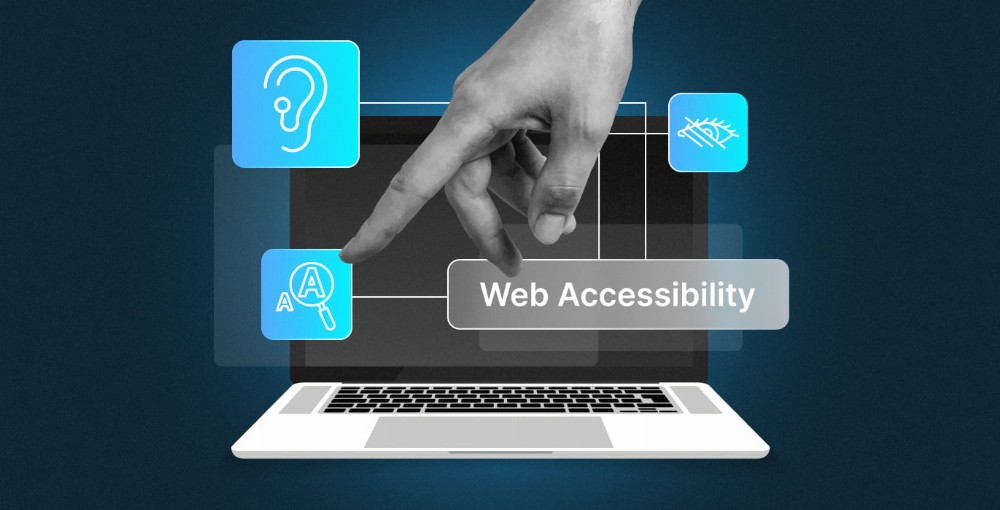
Web accessibility and WCAG services for WordPress

Typical investment

Transparent ranges before you request a formal quote

Lead-gen range

$299-$2,500+

Starter pricing stays intentionally low; final quote follows scope

Typical timeline

A focused accessibility audit can complete in days; remediation usually takes 1-5 weeks depending on issue depth

Depends on approvals, content readiness, and integrations

Next step

Free scope check

Send a brief and we will confirm the right low-cost starting package

What affects the final quote

WordPress accessibility work starts at $299 for a focused audit, with most remediation sprints landing between $799 and $2,500+ depending on template count and WCAG issue depth.

Delivery window

Timeline: A focused accessibility audit can complete in days; remediation usually takes 1-5 weeks depending on issue depth.

Accessibility pricing packages

Start with a practical audit, then fix the issues that most affect users, compliance risk, and conversions.

Starter

Accessibility Check

From $299

For identifying the most important accessibility blockers on key WordPress pages.

  • Automated and manual checks on priority pages
  • Issue list grouped by impact and effort
  • Practical remediation plan
Send a project brief
Most requested

WCAG Fix Sprint

$799-$1,499

For improving templates, forms, navigation, and content patterns that block users.

  • Remediation for priority WCAG issues
  • Keyboard, contrast, forms, and semantic fixes
  • Before/after QA notes
Get this scoped
Advanced

Accessibility Program

From $2,500

For larger sites needing broader remediation, governance, or repeated checks.

  • Template-by-template remediation roadmap
  • Design/content guidance for future pages
  • Ongoing accessibility QA options
Request an accessibility quote

Audits can start quickly

Typical timeline

Depends on scope and approval cycles

Built-in

Quality bar

Performance and launch-readiness checks

Clear

Collaboration

Written scope and visible milestones

Supported

Post-launch

Maintenance and iteration routes available

How ongoing support time is allocated

Maintenance, security, and integration retainers balance proactive work with reactive tickets.

Updates & compatibility28%
Security & backups24%
Monitoring & fixes22%
Performance checks16%
Advisory & roadmap10%

Combined view

  • Updates & compatibility
  • Security & backups
  • Monitoring & fixes
  • Performance checks
  • Advisory & roadmap

Support retainer focus (illustrative)

How hours are typically distributed on a healthy WordPress site.

Typical mix100%
  • Updates & compatibility28%
  • Security & backups24%
  • Monitoring & fixes22%
  • Performance checks16%
  • Advisory & roadmap10%

The problem web accessibility solves

When the site fights your team, web accessibility addresses the foundation — not a single symptom.

Accessibility issues are often hidden until a complaint, procurement review, or user frustration exposes them. Fixing them properly takes more than installing a…

Accessible WordPress experiences — inclusive design and compliance

Day-to-day friction

Accessibility issues are often hidden until a complaint, procurement review, or user frustration exposes them. Fixing them properly takes mo…

Hidden complexity

When teams feel the pain, the root cause is rarely a single plugin or design choice. It is usually the gap between what the business needs a…

Blocked next steps

This service is for teams that want WordPress to be dependable, secure, and easier to scale instead of becoming an operational burden. A goo…

Why this matters
Cheap fixes often hide the underlying issue. A WordPress specialist can help you decide what to keep, what to rebuild, and where the highest-value next step actually is.

Who this is for

Teams that need a credible WordPress outcome from Web Accessibility — not another short-term patch.

Organisations serving broad audiences, public-facing teams with compliance pressure, and businesses that care about inclusive usability. We also help teams who…

Good fit

  • You need Web Accessibility with clear scope, maintainability, and realistic timelines.
  • You care about performance, editor experience, and decisions documented before heavy build work.
  • You want a WordPress-only partner to shape the right route before you commit budget.
  • This is usually the right fit when you care about performance, maintainability, and a site your marketing or operations…

Usually not ideal

  • You only want the cheapest possible fix with no regard for long-term cost.
  • You need a non-WordPress platform and are not open to WordPress as the core CMS.
  • You want work to start with no discovery, written scope, or stakeholder alignment.

What we deliver

Tangible outputs tied to business goals — scoped in writing before heavy work begins.

We audit WordPress sites for accessibility issues and improve templates, content patterns, forms, navigation, and interaction states with WCAG principles in min…

  • Discovery and scope alignment around business goals, technical constraints, and commercial priorities.
  • Template, component, and content-structure planning so the build supports real publishing workflows.
  • Web Accessibility implementation using current WordPress best practices with maintainability, speed, and editing clarity in mind.
  • Quality assurance across responsive behaviour, forms, flows, and practical launch-readiness checks.
  • Launch support and a clear next-step roadmap so the project keeps momentum after handoff.

Deliverables you can point to

Tangible outputs — not vague promises — so stakeholders know what ships.

Scope & plan

Discovery and scope alignment around business goals, technical constraints, and commercial priorities.

Build output

Template, component, and content-structure planning so the build supports real publishing workflows.

Quality pass

Implementation using current WordPress best practices with maintainability, speed, and editing clarity in mind.

Launch pack

Quality assurance across responsive behaviour, forms, flows, and practical launch-readiness checks.

How we work

Visible decision points from first call to handoff — so scope does not drift late in the project.

We begin by reviewing your current situation, constraints, and success criteria. For some projects that means auditing an existing site; for others it means def…

Discover first

Goals, constraints, and success criteria agreed before major spend.

Build in phases

Milestones you can approve — not a black box until launch week.

Hand off clearly

Documentation, training, and a realistic post-launch roadmap.

Project phases at a glance

A transparent sequence for Web Accessibility — with clear decision points so scope does not drift.

  1. 1

    Week 1–2

    Discover

    Goals, constraints, content model, and integrations.

  2. 2

    Week 2–3

    Plan

    Architecture, templates, and priorities agreed in writing.

  3. 3

    Week 3–7

    Deliver

    Implementation, QA, and performance baseline.

  4. 4

    Week 6–8

    Refine

    Content support, responsive QA, and accessibility passes.

  5. 5

    Week 8+

    Handoff

    Launch checklist, training, and next-step roadmap.

Why trust WebinClicks

WordPress depth since 2005 — not a rotating stack of unrelated platforms.

WebinClicks is WordPress-first today because clients benefit from depth, not split attention. We are not trying to be a Shopify agency one week, a Webflow studi…

WordPress-first focus

Depth on one platform instead of spreading across every CMS fad.

Calm scoping

We say when a different service fits better — good scoping is part of the value.

Long view

Enough cycles behind us to know what lasts and what becomes expensive later.

Also consider
a wider technical audit · technical SEO improvements · ongoing maintenance support

Technology and approach

Lean stacks, clear editors, and patterns chosen for maintainability — not fashion.

Our technical approach depends on the project, but the principles stay consistent: keep the stack lean, avoid unnecessary plugin dependency, prioritise performa…

Lean by default

Only the plugins and abstractions the workflow actually needs.

Editors included

Patterns and fields so marketing can publish without a ticket for every tweak.

Measure what matters

Performance, accessibility, and SEO checks before launch — not after.

Need a scoped WordPress plan?

If this service sounds close but you want help choosing the right route, send a project brief and we will recommend the best starting point.

Get a free WordPress plan

Technology we commonly use

Tools are chosen per project — weighed against maintainability, not trends.

WordPress core updatesPlugin governanceBackups & restore testsSecurity hardeningUptime monitoringStaging workflowChange documentation
  • Lean plugin footprint — only what the workflow needs
  • Block patterns your team can reuse without breaking layout
  • Performance budgets agreed before launch, not after
  • Documentation and handoff so you are not locked in

Results to expect

Day-to-day improvements your team feels — not invented vanity metrics.

A site that is easier to use, less risky, and better aligned with accessible design and development standards. The right outcome is not just a prettier page or…

Less friction

Clearer workflows for content, sales, and operations.

Better confidence

Fewer surprises when you publish, campaign, or integrate.

Room to grow

Architecture that supports the next stage without rebuilding from scratch.

Confidence in site stability

Before45%
After custom build85%

Time to ship changes

Before70%
After custom build38%

Clarity on priorities

Before42%
After custom build88%

Readiness for next initiative

Before50%
After custom build82%

Compare your options

There is usually a cheaper route. It might be a theme tweak, another plugin, a page-builder workaround, or a one-off freelancer patch. Sometimes that is enough for the immediate need, but it often becomes expensive when the business grows or the site hits a more demanding use case.

A better web accessibility investment creates a foundation you can keep working with. That means clearer ownership, fewer hidden dependencies, and less fear around future changes.

If your situation points to a different service rather than this one, we would rather say so early. Good scoping is part of the value.

Lowest-cost route

Fast to start, but often creates future constraints or cleanup work.

Professional Web Accessibility

More deliberate scope, better long-term maintainability, and clearer business alignment.

Future changes

Easier to extend, improve, and support without rebuilding everything from scratch.

FactorBreak-fix onlyProactive support
Long-term maintainability
42/100
90/100
Performance headroom
48/100
88/100
Editor clarity
45/100
86/100
Speed to first fix
82/100
58/100
Business alignment
40/100
92/100

Common scenarios

Typical situations where this service is the right starting point.

01

Launching or relaunching with more confidence

You have a clear business need, but you want the WordPress build to be structured properly from the start instead of rushing into decisions that create rework later.

02

Improving an existing setup that is holding you back

The current website may technically function, but it creates friction for marketing, sales, operations, or content teams. Web Accessibility work helps remove that drag.

03

Planning for the next stage instead of the next week

You need a WordPress partner who can help you make decisions that still look sensible in a year, not just something that gets through the next deadline.

What clients say

Real feedback from teams who worked with WebinClicks on Web Accessibility.

CS
Better inclusive UX
“Their team explained accessibility clearly, prioritised the fixes, and made the site noticeably easier to use for everyone.”

Clara Simmons

Communications Manager · Public Reach Foundation

How we use reviews

We share specific outcomes — not anonymous praise. If you want references closer to your industry or scope, ask during your project brief and we will point you to relevant examples.

Frequently asked questions

Explore connected WordPress services

Every service page points to the next logical step so you can assess the wider solution, not just one isolated deliverable.

WordPress Maintenance & Security

WordPress maintenance, update management, monitoring, and security hardening for teams that need peace of mind after launch.

Learn more

Custom WordPress Website Development

Custom WordPress sites planned around your business goals, content model, and long-term growth.

Learn more

WordPress Rescue & Audit

Technical audits and rescue plans for WordPress sites that are unstable, insecure, underperforming, or impossible to maintain confidently.

Learn more

Technical SEO for WordPress

Technical SEO improvements for WordPress sites that need stronger foundations for crawling, speed, content structure, and rankings.

Learn more

FSE & Block Theme Development

Modern block themes built for Full Site Editing with structured design systems and better editorial flexibility.

Learn more

Ready to talk about Web Accessibility?

Use the quick enquiry route, send the full project brief, or start on WhatsApp if a conversation is the fastest next step.

Start your projectQuick enquiryChat on WhatsApp